
How-to guides#
This part of the documentation contains how-to guides, including installation and usage.
Features#
Control panel in Plone registry to manage
Acumbamailsettings.RestApi endpoint that exposes these settings for Volto.
Add a new subscriber to the Acumbamail list.
Volto integration#
To use this product in Volto, your Volto project needs to include a new add-on: collective/volto-acumbamail
Translations#
This product has been translated into
English
Spanish
Compatibility#
Tested with Python 3.12 and Plone 6.1.5.
Install it#
Install collective.volto.acumbamail with pip:
pip install collective.volto.acumbamail
Enable it#
Go to the Site setup, next to the Add-ons control panel, find the collective.volto.acumbamail add-on and click on the Install button.
Use it#
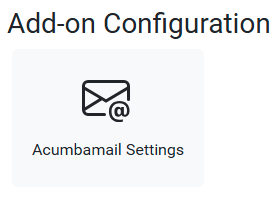
To use this add-on, go to the Site setup, next to the Add-on Configuration icon, as shown below:
This Acumbamail Settings, you can access the control panel, as shown below:
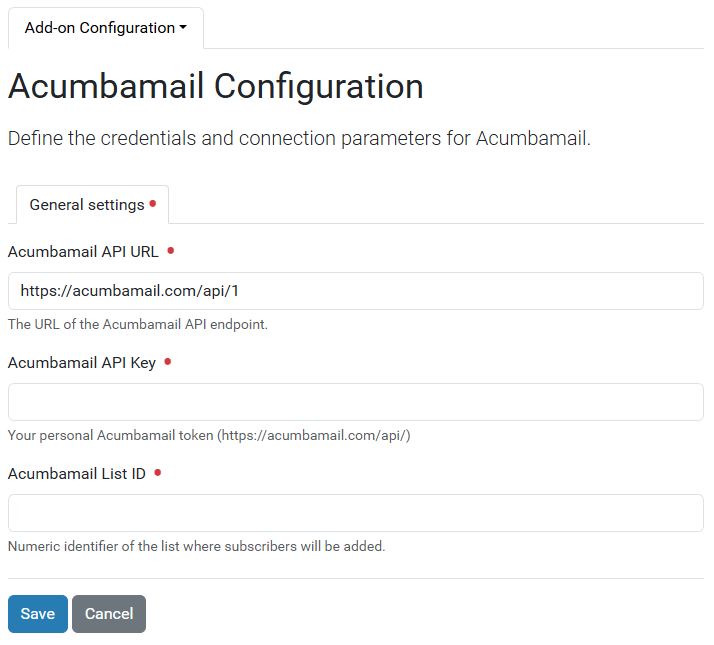
In this control panel, you can configure the following fields:
API URL.API Key.List ID.
@acumbamail-subscribe route#
Anonymous users can't access registry resources by default with plone.restapi (there is a special permission).
To avoid enabling registry access to everyone, this package exposes a dedicated RestApi route with Acumbamail settings: @acumbamail-settings:
curl -i -X POST http://localhost:8080/Plone/@acumbamail-subscribe -H "Accept: application/json" -H "Accept-Language: es" --data '{"email": "leonardocaballero@gmail.com"}' --user admin:admin
Security access#
The collective.volto.acumbamail add-on includes the following roles and permissions:
Roles#
Acumbamailrole (NEW!!!).
Permissions#
volto.acumbamail: Manage Acumbamail Settingspermission (NEW!!!) grants access to the following roles:Acumbamailrole.
The
Plone Site Setup: Overviewpermission grants access to theSite Setup: Overviewview to the following roles:The
Managerrole.The
Site Administratorrole.The
Acumbamailrole.